
Shared operational records with clear ownership and status
Excel to web application development
Excel to Web Application Development
Turn the Excel workbook your business depends on into a shared web application built around your people, records, and business rules. Honor Tech develops browser-based systems for teams that need clearer access, dependable calculations, approvals, reporting, and a practical path beyond shared files.
The service
Build on what your spreadsheet already knows about the business.
An important workbook often contains years of operational knowledge. Its formulas express pricing rules, its lookup tables hold business definitions, and its tabs reflect the way people organize the work. The people using it know the exceptions that never made it into a written procedure. That is the starting point for a useful application.
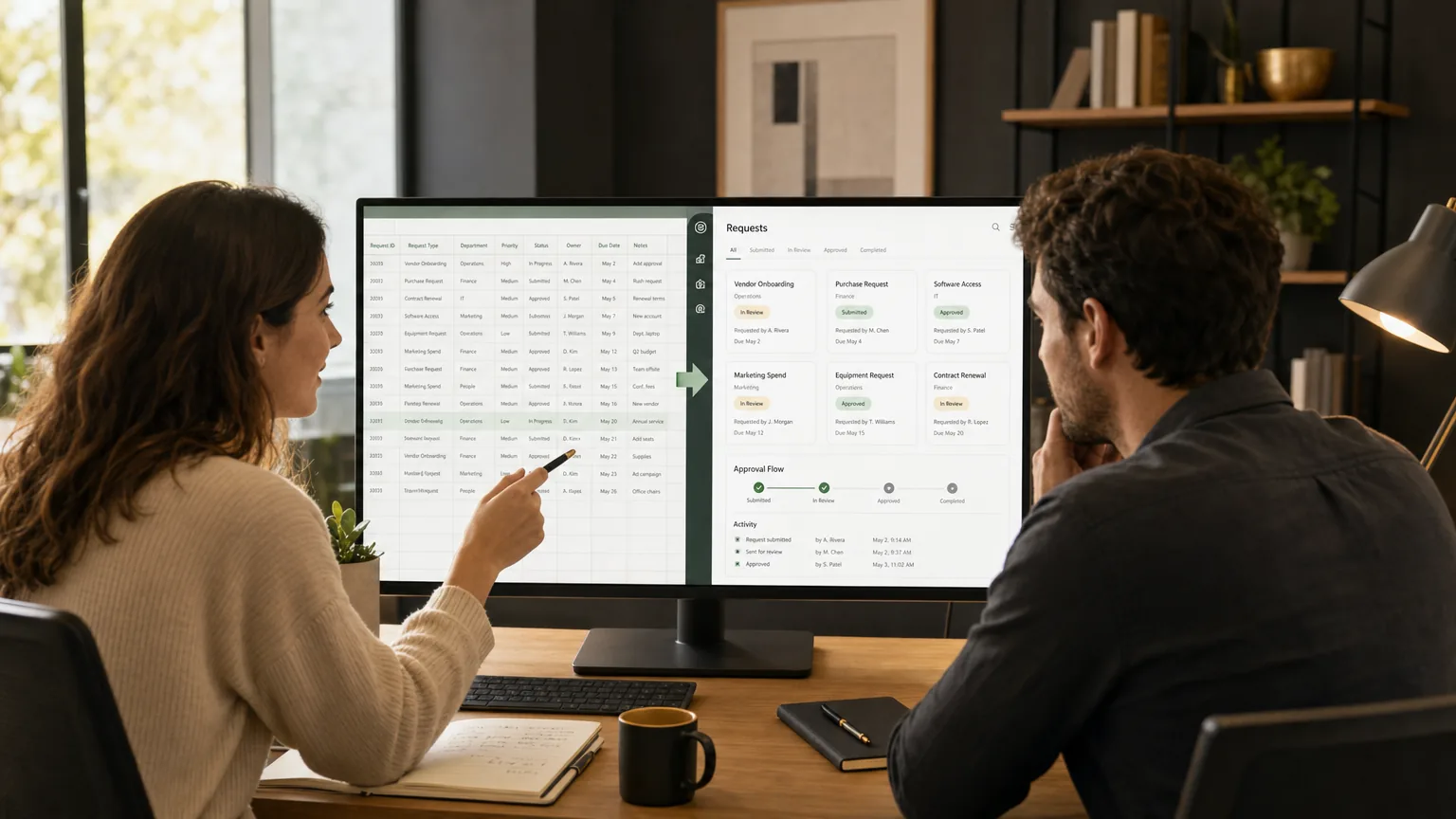
Honor Tech works with your team to understand that process, identify where shared files are creating friction, and define a focused replacement. We can turn workbook-based intake, tracking, calculations, and approvals into connected screens and structured records, with permissions and validation designed around the people doing the work.
The goal is a system your team can use together and maintain over time. We review which Excel capabilities should move into the application, which reports or exports should remain available, and whether an existing product or a smaller workbook improvement could meet the need. A custom build should earn its place through the requirements, integration needs, and long-term responsibilities of the project.
A strong fit when
Keep the business knowledge. Give the workflow room to grow.
Teams using Excel to run recurring operations such as job tracking, inventory, estimating, scheduling, approvals, or customer records, where version confusion, repeated entry, access requirements, or manual handoffs have become difficult to manage.
Business calculations and validation checked against agreed examples
Access rules and change history designed around user responsibilities
A phased transition with reconciled data and useful Excel exports
Workflow examples
What could your spreadsheet workflow become?
Start with the operation that creates the most friction. We can scope a focused first release around jobs, estimates, inventory, or requests, then expand the application as your team validates the workflow.
Estimating and quote preparation
Bring customer details, line items, calculation rules, review steps, and quote status into one workflow. Estimators can prepare an estimate, the right person can review it, and the team can retain the agreed inputs and calculation version. Excel exports or document generation can be included where the business needs them.
Job and service tracking
Turn a row-based job tracker into searchable records with an assigned owner, due date, status, notes, and the next action. Office staff and the people performing the work can use role-appropriate views. Notifications and exception handling can be designed around the steps that currently depend on email or memory.
Inventory and operational records
Replace parallel stock or equipment lists with agreed record definitions, validated entries, and a history of important changes. Define how receipts, allocations, adjustments, and exports should work, then connect other systems where supported access and the project scope allow it.
Requests, scheduling, and approvals
Give employees a consistent way to submit a request and reviewers a clear queue of work to act on. Required information, routing, approval authority, and status visibility can follow your business rules. Scheduling views can show the commitments and exceptions relevant to the selected workflow.
Capabilities
Turn the workbook into a system your team can use together.
The right replacement depends on what the spreadsheet actually does. We review whether a better workbook, an existing product, a low-code tool, or a custom application fits before defining the build.
Workbook and workflow discovery
Review formulas, lookup tables, VBA macros, linked workbooks, imports, reports, exceptions, and the informal steps people perform around the file. Identify which rules belong in the application and which need clarification.
Shared web application
Build browser-based forms, searchable records, task views, approvals, and status tracking around the work. Define who may view or change each kind of information and enforce those permissions on the backend.
Data migration and validation
Map workbook data into a structured model, agree how duplicates and missing values will be handled, rehearse imports, and reconcile counts and important totals before the operational cutover.
Calculations, reporting, and exports
Translate agreed calculations into testable application rules. Provide the reports and controlled Excel or CSV exports people need without making a downloaded copy the source of operational truth.
Connections to existing systems
Connect supported accounting, customer, inventory, or other business systems through agreed APIs or controlled file exchange. Assess vendor access and licensing before promising an integration.
Launch and ongoing support
Plan hosting, backups, restore procedures, monitoring, user training, documentation, and support responsibilities. Roll out a focused first workflow before expanding the application.
Delivery approach
Move one useful workflow into production with a clear transition plan.
- 01
Start with a redacted workbook or a walkthrough. Map the people, rules, exceptions, dependencies, sensitive information, and outcomes the workflow must support.
- 02
Compare improving Excel, buying an existing tool, using a low-code platform, and building custom software. Agree on the first release, exclusions, acceptance examples, hosting, and estimated effort.
- 03
Build and demonstrate the workflow with representative data. Check calculations, permissions, reports, imports, and exception paths with the people who will use it.
- 04
Rehearse migration, reconcile records and totals, agree on a cutover and recovery plan, and train the team. Establish who supports the application and how later changes are handled.
Project scope and handoff
Know what will be delivered and who will support it.
A useful proposal describes more than a set of screens. Before development begins, we agree on the first workflow, acceptance criteria, data transition, hosting responsibilities, handoff, and ongoing support. The exact deliverables and commercial terms belong in the project agreement.
01
A defined first release
Identify the users, records, screens, approvals, reports, and exception paths included. Record what is deferred so the first phase can be evaluated against a clear, useful outcome.
02
Checked business rules
Document important calculations and validation rules with representative examples. Review results with the people who understand the operation, including the cases where the normal workflow does not apply.
03
A controlled data transition
Agree on field mapping, cleanup decisions, import rehearsals, reconciliation, and cutover responsibilities. Decide when the workbook stops being the operational source and how transition changes will be handled.
04
Deployment and recovery planning
Define the production environment, account access, release process, backups, restore procedures, and monitoring appropriate to the application. Establish who is responsible for operating each part.
05
Clear ownership and handoff
Confirm source-code rights, third-party licenses, hosting accounts, data access, documentation, and training in the agreement. Your team should understand what it controls and what it will need to maintain or transfer the system.
06
Support after launch
Decide who handles issues, maintenance, dependency updates, and future enhancements. Agree on support scope, availability, and commercial terms instead of assuming every change is included in the original build.
Related technology insights
Practical context for the decisions around the system.
Related services
Explore the services around this work.
Custom software development
Build a focused business application around the workflow, ownership, and support requirements that matter.
Explore this serviceData migration
Plan, rehearse, and reconcile the move from existing files or databases into a new system.
Explore this serviceBusiness automation
Connect intake, approvals, status, notifications, and the surrounding operational steps.
Explore this serviceCommon questions
Useful detail before the first call.
Can you turn our existing Excel spreadsheet into a web application?
Yes. Honor Tech can use the workbook as a starting point to understand the data, calculations, and workflow, then design a web application around those requirements. It is a software project rather than an automatic file conversion; the scope depends on the rules, users, integrations, and support needs.
What happens to formulas, VBA macros, and linked workbooks?
We inventory them and agree which behavior to preserve, simplify, or retire. Important calculations are checked against representative examples. Desktop-specific automation, external links, and add-ins may require a different implementation or continued use of Excel for part of the process.
Can we keep exporting to Excel?
Yes, exports and, where appropriate, validated imports can be included in the scope. The design should make clear which system owns operational records and how any information coming back from a workbook is reviewed and reconciled.
Should we build a custom application or use an existing product?
Start with the workflow and constraints. A better workbook, an existing business product, or a low-code platform may meet the need with less development. Custom software is worth evaluating when the process, integrations, permissions, or long-term ownership requirements justify the investment.
How much does an Excel-to-web application project cost?
There is no dependable price based only on workbook size or sheet count. Cost depends on business rules, data quality, user roles, integrations, reporting, migration, testing, hosting, and ongoing support. After reviewing the workflow, Honor Tech can propose a bounded first phase with assumptions and an estimate.
Do we need to send a workbook containing live customer data?
No. Begin with a description, screenshots with sensitive details removed, or a sanitized sample. Any later exchange of operational data should use an agreed secure channel and the least access needed for the work.
Can we keep using the workbook while the application is being built?
Usually the existing process continues during development. We plan how representative data will be used for testing, how changes will be captured, and when the team moves to the new system. Any parallel operation needs clear record ownership and reconciliation; a project-specific cutover and recovery plan should be agreed before launch.
How long does an Excel-to-web application project take?
The timeline depends on the number of workflows, the complexity of formulas and macros, data quality, integrations, user roles, testing, and stakeholder availability. We review those factors before proposing a schedule and can separate a focused first release from later enhancements.
Have something ambitious in mind?
Tell us what your spreadsheet runs and where the work gets difficult.
Tell us where you are, what is getting in the way, and what a strong outcome looks like. We’ll come back with practical next steps.